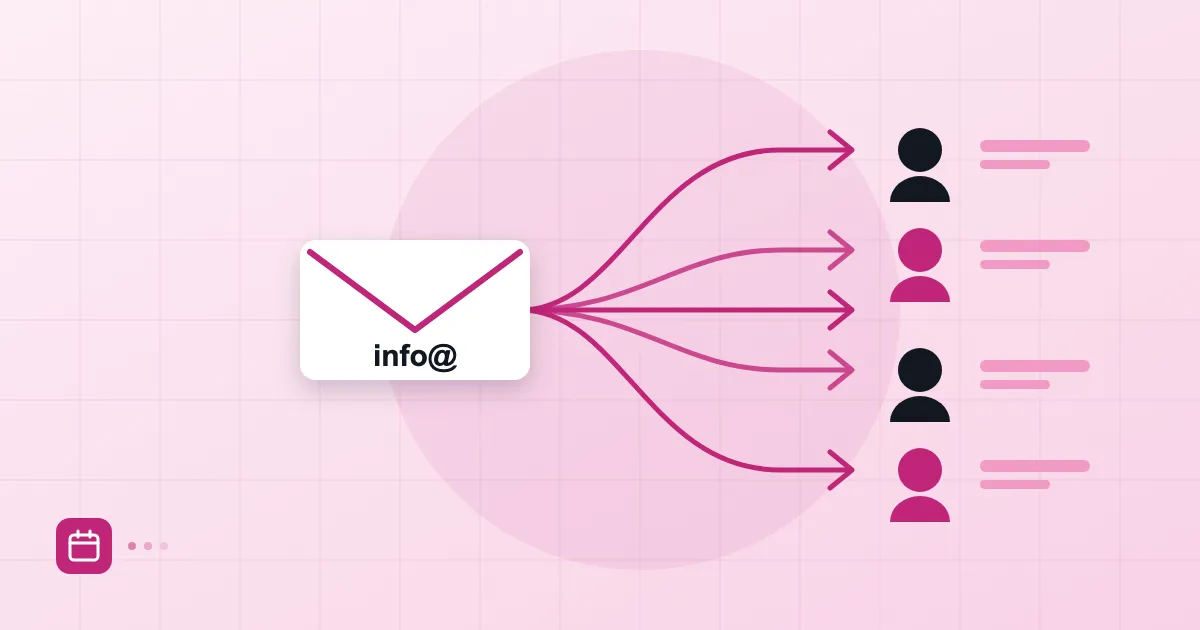
Every company website has an info@ address somewhere. Who actually reads it? In many businesses the honest answer is "probably someone in accounting, on their phone," and the gap only shows up after a customer request goes unanswered for a week. The address is rarely the problem. The structure behind it is. An email alias, a group address and a separate mailbox can look identical from the outside, yet they solve different problems.
Short answer: An email alias is an extra address that delivers into an existing mailbox. A group address copies incoming mail to several people. A separate mailbox is an independent account with its own password and history. For info@ a small group usually works best; for support@ choose a group or a shared mailbox depending on how closely the team has to coordinate.
Alias, group and mailbox compared
What separates the three is where the mail ends up and who can see it.
An alias is a second name for one mailbox. Add sales@example.com as an alias of sam@example.com and anything sent to sales@ lands in Sam's inbox. There is no separate storage and no separate password. Aliases are ideal when someone changes their name and the old address must keep working.
A group address delivers a copy of each message to every member. If support@ points to three people, all three receive it. The group has no archive of its own; the mail lives in the members' mailboxes. So when one person reads or answers a message, the others do not automatically know, which is how you get double replies or none at all.
A separate mailbox is a full account with its own password, quota and history. The team can log in and work from it together. The cost is a shared password and an account that can be orphaned when somebody leaves.
| Structure | Where mail lives | Best for |
|---|---|---|
| Alias | Inside an existing mailbox | Extra address for one person |
| Group | In each member's mailbox | Small team distribution, rarely changing |
| Separate mailbox | Its own account | Workflows needing shared history |
In Postanex's admin panel you create users, aliases and groups separately, which makes it easy to choose the lightest structure that does the job.
The right setup for info@ and support@
Do not tie info@ to a single person. We suggest a group of two or three at most. The reason is simple: info@ receives mail from everyone (vendors, prospects, customers, spam), and when everybody sees every message, nobody owns it.
support@ is different because "who took this one?" matters. For a team of two or three, a group is fine provided you agree on a rule: whoever replies flags the message, and nobody else touches it. Once the team grows, or you want to count and track requests, move out of the inbox into a proper ticketing tool and let the alias or group become just the front door.
The mistake we see most often: creating a dedicated support@ mailbox and sharing its password with five people over a chat app. Months later a leaver can still log in. We do not recommend it.
Which address appears when you reply
When you answer mail that arrived through an alias or group, which address does the customer see? It depends on your mail client and its settings, so test it before assuming.
As a rule, the reply goes out from the identity set as sender. If your client only knows your own mailbox, the reply leaves as sam@example.com. The customer then sees Sam, not support@, starts writing to Sam directly, and the shared inbox is bypassed. The fix is to add support@ as an additional sender identity in your client and pick it when replying.
After setup, send yourself a test message, reply to it and read the From line. Five minutes of testing spares you weeks of confusion.
New-hire and leaver scenarios
Aliases and groups pay off when people come and go. As we describe in the employee onboarding and offboarding checklist, suspending a leaver's mailbox is safer than deleting it straight away.
For a new hire: create the personal mailbox, add them to the right groups (support@, info@) and show them in the first week which sender identity to choose. For a leaver: suspend the mailbox first, remove them from groups, then forward or alias their address to whoever inherits their work. Suspension can be undone with one click in the panel, which is a lifesaver the day someone realises the wrong person was closed.
Keep one rule: every shared company address should be a group or alias, never the personal mailbox of one individual.
Managing unwanted mail
A public address like info@ is the first target for spam and cold outreach, and printing it as plain text on a website makes it worse. A contact form that notifies the group instead of exposing the address cuts down on noise.
Three practical steps: add an inbox rule that sorts unknown senders into their own folder, check the spam quarantine weekly, and retire addresses nobody uses. If an alias has not received a legitimate message in years, close it. Our inbox management guide shows how folders and rules fit together.
Naming suggestions
Keep names short, consistent and guessable. A vendor will not know whether to write "invoices" or "accounting," so choose one as the real address and make the other an alias.
Role addresses (info@, support@, accounts@, hr@) are independent of people; personal addresses (sam@) are not. When you first set up the domain, our business email setup guide lists what to create on day one. If the team also shares schedules, see shared calendar setup. Start with role addresses and add personal ones later.
Frequently asked questions
What is the difference between an alias and a group address?
An alias is an extra address that delivers into one existing mailbox. A group address copies incoming mail into the mailboxes of several people.
Should I create a separate mailbox for info@?
Usually not; a group is enough for most small companies. A separate mailbox only makes sense when the team needs a shared history, and then you need to take password management seriously.
If I reply from an alias, which address does the recipient see?
If that address is set as an additional sender identity in your client, they see it. If not, they see your own mailbox address. Send a test and check the From line.
What should I do with a leaver's address?
Suspend the mailbox, remove it from groups and forward incoming mail to someone responsible. Do not delete anything before exporting the data.
- email alias
- group address
- info@
- support@
- distribution list