When a company mailbox gets taken over, the cause is rarely an elaborate attack. Someone reused a password, an unrelated website leaked it, and the rest followed on its own. For a business owner, email two-factor authentication is the cheapest way to break that chain. The real questions are which method to pick and how to get your team to accept it.
Short answer: Make two-factor authentication mandatory for every mailbox, and prefer an authenticator app, a hardware key or a passkey over SMS codes. A second factor turns a stolen password from a master key into a dead end.
Why are passwords alone not enough?
A password was designed to be a secret, but nobody treats it like one. It gets saved in browsers, pasted into chats and typed into fake login pages. The picture we see most often when setting up a new domain is a shared admin mailbox whose password is known by ten people and was last changed before anyone can remember.
And a mailbox is more than a mailbox. Every "forgot my password" link on every service lands there. Whoever controls your email can reset your accounting software, your hosting panel and your domain registrar login. That is why we put 2FA on email before anything else. Our piece on how to spot a phishing email shows how those fake pages work; when a password is typed into one, the second factor is your last line of defence.
2FA methods compared
The differences show up when you ask what an attacker would have to do to get past each one. The table below is our field assessment, not a formal standard.
| Method | Ease of setup | Against fake login pages | Main weakness |
|---|---|---|---|
| SMS code | Very easy | Weak | SIM swapping, number porting, code typed into a fake page |
| Authenticator app (TOTP) | Easy | Moderate | Code can be typed into a fake page; lost phone |
| Hardware security key | Moderate | Strong | Physical loss, you need a spare |
| Passkey | Easy | Strong | Depends on platform and client support |
SMS: better than nothing, but we do not recommend it
We do not look down on teams that start with SMS; it is clearly better than no second factor. But if you are setting things up today, do not make it the default. SIM swapping and number porting are well-known tricks, and codes simply fail to arrive when an employee travels abroad. You usually learn that at nine in the morning, when nobody can open their inbox.
Authenticator apps: the sensible middle for most teams
Apps that generate time-based one-time codes work offline and do not depend on a mobile operator. Setup is scanning a QR code. The weakness: if a user types both the password and the current code into a convincing fake page, an attacker can relay them to the real site immediately. So it is not perfect against phishing, yet it stops the large class of attacks that rely on a leaked password alone.
What are passkeys, and where do they help for email?
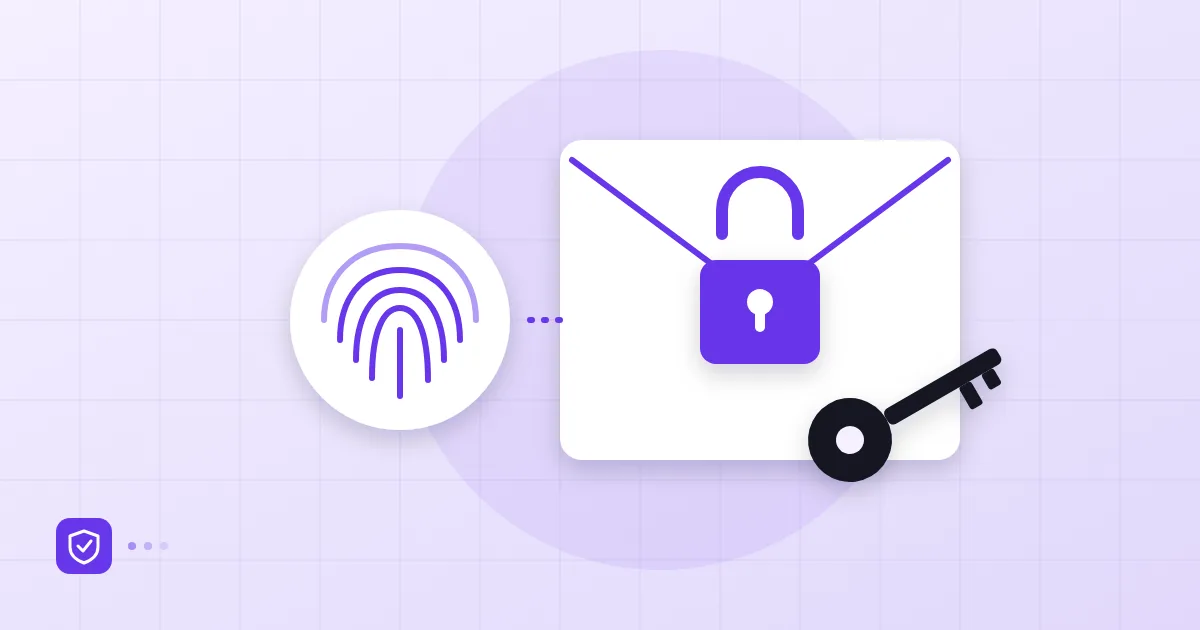
A passkey replaces the password with public-key cryptography. A private key stays on your device; the service only holds the public key it needs to verify you. You approve the sign-in with a fingerprint, a face scan or the device PIN. Because the key is bound to a specific domain, a lookalike site cannot use it, which is why passkeys are considered phishing-resistant. The FIDO Alliance passkeys page explains the technical background.
One caveat for email specifically. Passkeys fit browser-based webmail sign-in very well, but many mail clients still connect over IMAP and SMTP with a username and a password-like credential. How the second factor is handled for those clients differs by provider. So "we turned on passkeys, we are done" is not a safe conclusion; you need to know which sign-in path each app uses.
To be clear about our own product: in Postanex, an administrator sets a two-factor authentication policy for mailboxes from the admin panel. We do not promise passkey support, and you should read this section as general guidance.
For administrators: enforcing the policy
Voluntary and mandatory 2FA are very different things. Leave it optional and the accounts that need it most, the admin and finance mailboxes, tend to be the last ones switched on. We roll a policy out in three steps.
First, enforce it on administrators and anyone with payment authority, because they are the attacker's first targets. Second, give everyone a grace period, say two weeks, and send setup instructions during it. Third, switch it on for all mailboxes. A staged rollout spreads the support requests instead of piling them into one morning.
Add a few small rules next to the policy. Avoid shared logins and use aliases and group addresses for things like info@ and support@; one person, one mailbox. With a shared account, "who receives the code?" has no good answer. If you want the wider baseline in one place, our SMB email security checklist puts 2FA next to the other controls.
Lost devices and a recovery plan
A second factor is really tested the day a phone goes missing. Without a recovery plan, the first lost device locks someone out and puts the admin under pressure. The plan needs three things.
First, users should print the recovery codes shown during setup and keep them somewhere locked. A code saved in the notes app of the lost phone is useless. Second, an administrator must be able to reset a user's second factor, but only after verifying identity; otherwise an attacker simply says "I lost my phone" and walks in the easy way. We suggest checking over a channel that is not the password, such as a call or a face-to-face confirmation. Third, where possible, let each user register two devices.
Know in advance what you will do when an account is taken anyway; the steps in your account was hijacked: the first 24 hours complement this plan. And when someone leaves the company, revoke their second factor too. We cover joiner and leaver steps in the employee mailbox checklist.
Getting users on board
The technical decision is easy; the human part is hard. "It is for security" almost never works. What does work better, in our experience, is describing the concrete outcome: "if someone finds your password, they can send our customers invoices with a fake bank account." How AI-written fake correspondence feeds this kind of fraud is covered in our phishing and BEC article, a good thing to show your team.
A few practical tips. Do the setup in a meeting where everyone has their phone in hand; it takes fifteen minutes and removes most of the "how do I do this?" messages that would arrive later. Have managers enable it first, because a policy the boss ignores is not taken seriously. And be patient with problems during the first month, or people will remember 2FA only as an obstacle.
Frequently asked questions
Which two-factor authentication method is best for email?
The best method is the strongest one your team will actually use. For most small teams an authenticator app is a good starting point, and administrators can add a hardware key or passkey. Use SMS only when nothing else is available.
Will passkeys fully replace passwords?
Web sign-in is heading that way, but in the email world IMAP and SMTP clients still rely on a password-style credential. During the transition you will manage both passwords and second factors. Ask your provider exactly what is supported.
What if I lose my phone?
You use the recovery codes you saved during setup or a second registered device. If you have neither, an administrator has to reset your second factor, and that should happen only after an identity check.
Does 2FA fully protect my mailbox from phishing?
No. It adds a real obstacle and neutralises most password leaks, but code-entry 2FA can still be beaten by a convincing fake page. Combine it with user training, authentication records and an admin policy.
- 2FA
- passkeys
- password security
- business email