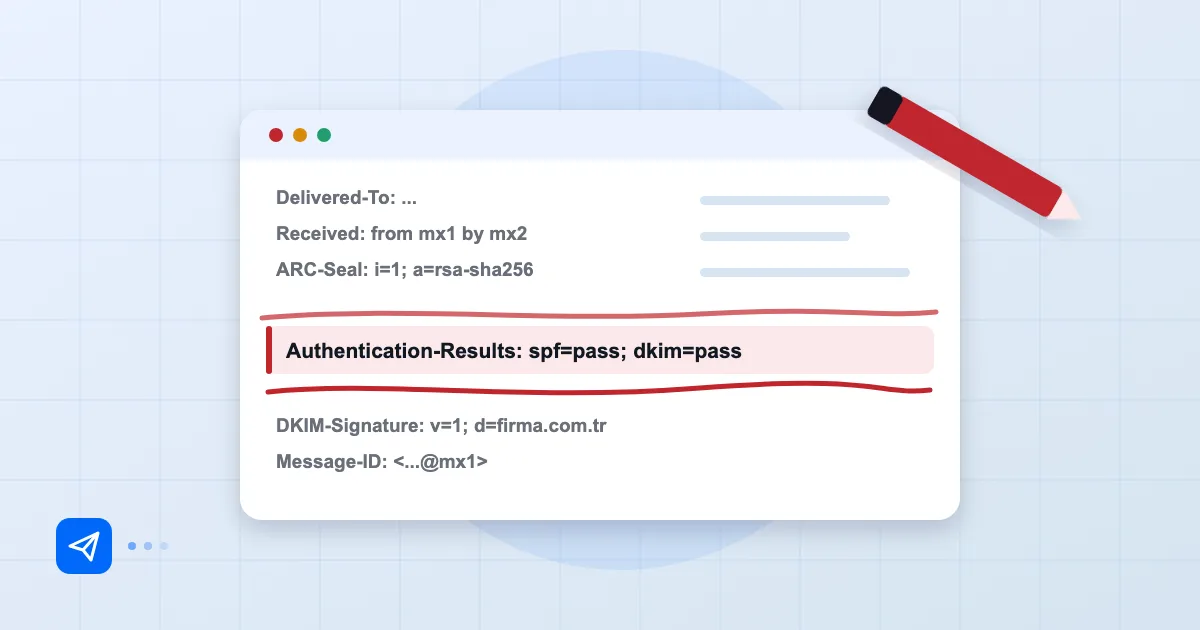
You added a rua address to your DMARC record, and a few days later the mailbox is full of .xml.gz and .zip attachments. Open one and you get a wall of XML. Most people stop right there, point the address somewhere out of sight and never look again. That is a waste, because learning to read DMARC reports is the only evidence you have for moving safely from p=none to p=reject. Below we open up a raw report field by field and show how to answer the question that matters: is this IP really ours?
Short answer: A DMARC aggregate report (rua) is an XML file in which receiving mail servers summarise the mail they saw using your domain, grouped by source IP. For each
record, checksource_ip,count, the SPF and DKIM alignment results anddisposition. If every legitimate service passes and only unknown IPs fail, you are ready to tighten your policy.
Who sends reports and how they arrive
Reports do not come from your own servers. They come from the providers that receive your mail. Google, Microsoft, Yahoo and other receivers that support DMARC reporting typically send one file per day, summarising the traffic they saw, to the address in your rua tag. The format is called an aggregate report in RFC 7489, which is worth skimming once.
A typical record looks like this:
_dmarc.example.com. IN TXT "v=DMARC1; p=none; rua=mailto:dmarc@example.com; fo=1"
If you have not created the record yet, start with our DMARC setup guide. Two field notes: send reports to a dedicated address such as dmarc@, not a personal inbox, and remember that if the rua address sits on a different domain, that domain must publish an authorisation TXT record, or providers will quietly skip sending.
The files are usually compressed. Download and unpack the attachment; the file name normally contains the sender's domain, the end of the reporting window and a report ID.
XML fields: source_ip, count, disposition
The unpacked file has three main parts, and the record section is where you will spend your time. A trimmed example first:
<feedback>
  <report_metadata>
    <org_name>google.com</org_name>
    <date_range><begin>1700000000</begin><end>1700086399</end></date_range>
  </report_metadata>
  <policy_published>
    <domain>example.com</domain>
    <p>none</p>
  </policy_published>
  <record>
    <row>
      <source_ip>203.0.113.25</source_ip>
      <count>412</count>
      <policy_evaluated>
        <disposition>none</disposition>
        <dkim>pass</dkim>
        <spf>fail</spf>
      </policy_evaluated>
    </row>
    <identifiers><header_from>example.com</header_from></identifiers>
  </record>
</feedback>
report_metadata tells you who produced the report and which time window it covers, in Unix timestamps. policy_published is the DMARC policy that provider saw, a quick way to confirm your record is being read as you intended.
Inside record, three fields matter most. source_ip is the address of the server that sent the mail. count is how many messages came from it in that window. disposition is what the receiver did under your policy: none, quarantine or reject. While you are at p=none it will always say none, so on its own it tells you little. The real information sits in the alignment results.
Alignment: SPF and DKIM results
The spf and dkim values under policy_evaluated are DMARC alignment results, not the raw SPF or DKIM verdicts, so do not confuse them. Open the auth_results block as well to see the underlying checks.
In the example above, DKIM passes and SPF fails. DMARC needs only one of the two to pass with alignment, so this mail passes DMARC. Still, ask why SPF failed. Usually a third-party service, such as a newsletter tool or a CRM, sent the mail with its own envelope domain. The fix is rarely to stretch your SPF record; it is to make sure that service signs with a DKIM key on your domain.
The mistake we see most: relying on SPF alone. Forwarding breaks SPF, while a DKIM signature often survives the trip. Watch both.
Separating legitimate from spoofed sources
For each source_ip the question is the same: is this address authorised to send as us? Our method has three steps.
First, run a reverse DNS and whois lookup. A hostname like mail-sor-f41.google.com suggests ordinary Google Workspace traffic. Second, look at volume: a count of three or five is often forwarding or an old device, while hundreds or thousands point to a systematic sender. Third, for every high-volume IP you do not recognise, ask internally. Which services do accounting, marketing and IT send mail from?
Fix the legitimate senders that fail by adding SPF or configuring DKIM. Leave the genuinely spoofed ones alone, because p=reject will stop them anyway. For how that kind of abuse works, see our piece on email spoofing. If a legitimate sender keeps landing in spam despite passing, the cause is often reputation, covered in domain and IP reputation.
Tool or manual review
With one domain and low volume, reading XML by hand is feasible, though it gets tedious fast. A dozen files arrive each day, and in practice nobody opens them.
Our advice: look manually for the first two weeks to learn what normal looks like, then switch to a report-parsing tool. Free and paid ones exist; they convert XML into tables and map IPs to known services. Whichever you pick, remember you are handing report data to a third party. It reveals your domain and sending volumes, so check who gets to see it.
Turning findings into action
Reading should end in a short checklist. Ours, every week: is there a new source IP, is any legitimate service failing alignment, has one source jumped in volume?
If all legitimate senders align and no new ones appear for two or three weeks, tighten gradually, starting with p=quarantine; pct=10 and raising it step by step. We walk through the sequence in moving to DMARC p=reject. If you want your logo in the inbox, enforced DMARC is a prerequisite, as explained in what BIMI is. For rejected messages, bounce codes explained helps you decode the errors.
A note on products: Postanex signs outgoing mail with DKIM and its panel guides you through SPF, DKIM and DMARC records, but analysing aggregate reports is something you do yourself or with a tool.
Frequently asked questions
How often do DMARC reports arrive?
Usually once a day, one file per provider. On a low-volume domain some providers may send nothing at all.
What if source_ip shows an address I do not recognise?
Look up the owner with reverse DNS and whois, then ask inside the company whether that service is in use. If the volume is tiny and nobody knows it, it is most likely forwarding or a spoofing attempt.
Is reading reports manually enough?
For a few weeks, yes. In the long run a parsing tool is more sustainable.
Do reports contain personal data?
Aggregate reports carry IP addresses, domains and counts, not message content. It is still good practice to know exactly who receives them.
- DMARC
- rua
- aggregate report
- XML
- SPF
- DKIM