A customer writes: "I got an invoice from you, but the bank details are different." Two things could be true. Either your mailbox was compromised, or someone sent mail in your name without ever touching your systems. The second is far more common, and it is what people mean by email spoofing. Yet "someone is sending as us" hides three different attacks. Unless you know which one you are facing, you will build the wrong defence.
Short answer: Email spoofing is an attacker making a message look like it came from you. Exact-domain impersonation is stopped by SPF, DKIM and DMARC with
p=reject. Display-name spoofing and lookalike domains slip past those records because they use a different address, so each needs its own countermeasure.
Types of spoofing
There are three types, and their defences are independent.
| Type | What the reader sees | Does DMARC stop it? |
|---|---|---|
| Exact-domain impersonation | ceo@example.com (your real domain) |
Yes, with p=reject |
| Display-name spoofing | "Managing Director" random@gmail.com |
No |
| Lookalike domain | ceo@examp1e.com |
No, it is a different domain |
Fraudsters lean on the second and third, because the first is hard against well-protected domains. Direct impersonation still happens, but usually against companies that never set up SPF and DMARC and left the door open.
Exact-domain impersonation and DMARC
The only dependable way to stop mail that forges your actual domain is to deploy SPF, DKIM and DMARC together and move the policy to p=reject. Each does a different job. SPF lists which servers may send for you; our guide on writing an SPF record has examples. DKIM signs outgoing mail so a receiver can tell it was not altered, explained in what DKIM is. DMARC ties both together and decides what happens when neither passes. Start with the DMARC setup guide; the formal definition lives in RFC 7489.
A typical record:
_dmarc.example.com. IN TXT "v=DMARC1; p=reject; rua=mailto:dmarc@example.com"
Do not publish p=reject on day one. Begin with p=none to collect reports, identify your legitimate senders (newsletter tool, accounting software, CRM), then tighten step by step. The mistake we see most is skipping that stage, going straight to reject and discovering a day later that invoices stopped arriving. With Postanex, outgoing mail is DKIM-signed and the panel walks you through SPF, DKIM and DMARC records.
Display-name spoofing
In display-name spoofing the attacker never touches your domain. They open a free webmail account and set the name to your managing director. Many mail clients, especially on phones, show only the display name; you have to tap to see the address. An employee sees a name they trust and acts.
DMARC cannot help here, because your domain is not involved. The defence is people and process. First, add a rule that flags messages carrying an executive's name but sent from an outside domain; many mail security tools and clients can add an "external sender" banner. Second, require a second channel for anything involving money or sensitive data: ring back on a known number before changing bank details. Third, teach staff to tap and read the address on mobile. For how these attacks are changing, see AI phishing and BEC.
Lookalike domains and typosquatting
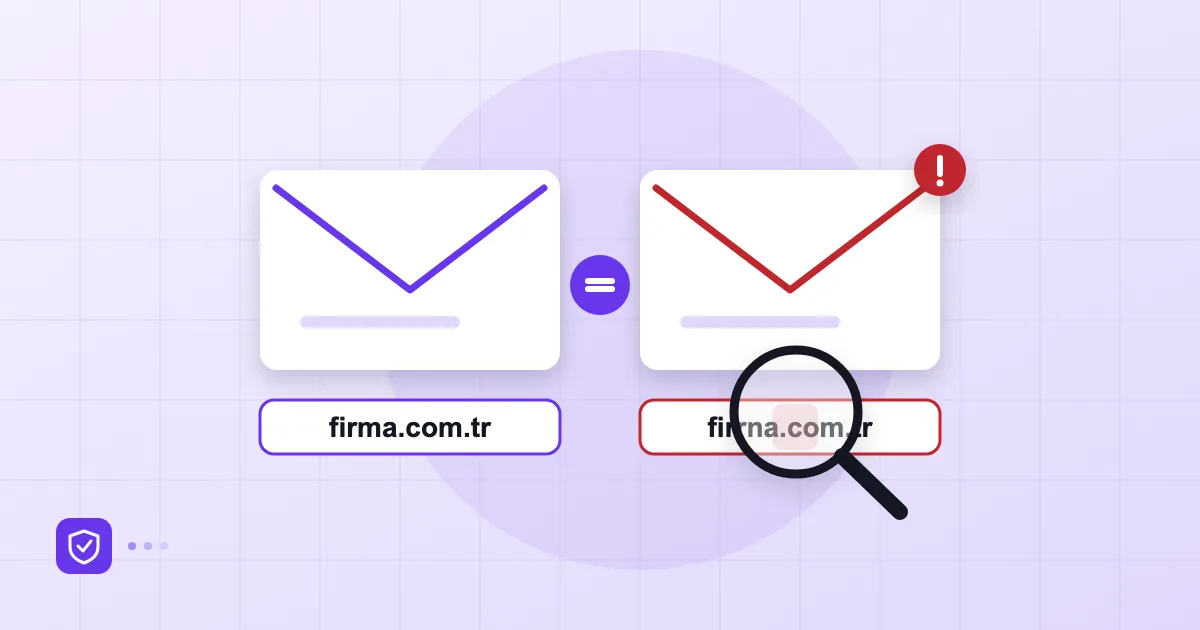
With a lookalike domain, the attacker registers something close to yours: examp1e.com with the digit 1 for a lowercase L, exampIe.com with a capital I, or rn standing in for m. A changed extension works too, .net or .co in place of .com. Sometimes characters from the Cyrillic or Greek alphabets that look identical are used, known as homoglyphs.
Because the attacker owns that domain, they can publish valid SPF, DKIM and DMARC records for it, and the mail passes every check. A technically clean message can still be a fake. That is why authentication alone does not catch lookalikes.
What works in practice: register the likeliest typo variants of your brand and the main extensions yourself, even if you never plan to use them for mail. When you are choosing a domain in the first place, factor in that risk. Registration costs a fraction of one successful fake-invoice fraud.
Monitoring your own domain
Monitoring comes from three places. DMARC reports show attempts to use your domain from IPs you do not recognise, and how many. Certificate transparency logs are public, so when somebody obtains a TLS certificate for a lookalike name it can be seen using free monitoring tools. Lookalike-domain scanning services list newly registered domains that resemble your brand.
Reading the DMARC report once a week is enough. If you are not ready for that, learn how reports are structured first, and assign the job to one named person; "somebody will look" means nobody does.
What to do when you spot it
When you find a fake message, act calmly and in order. Preserve the original with its headers; a screenshot is not enough, so save the raw .eml file. Send a short warning to affected staff and customers and ask who clicked what. If it was exact-domain impersonation, check your DMARC record immediately, or publish one if it is missing. For a lookalike domain, file an abuse report with the registrar and the hosting provider, and consider reporting the page to browser phishing-protection services.
Prepare your staff too. Our list of ten signs of a phishing email is a good handout. If an account was actually taken over, that is a different emergency and calls for a different plan.
Frequently asked questions
Can someone send email using my domain name?
Yes, if SPF, DKIM and DMARC are missing or DMARC is set to none. With p=reject, direct impersonation is largely blocked.
Does DMARC stop display-name spoofing?
No. In display-name spoofing the attacker sends from another domain, and DMARC only protects your own.
What helps against lookalike domains?
Register likely typo variants, monitor new lookalike registrations, report abusive domains to the registrar and train staff to check the address.
How can I tell where a fake email really came from?
Open the raw message headers. The Received and Authentication-Results lines show which server sent it and whether it passed authentication.
- email spoofing
- DMARC
- phishing
- lookalike domain
- display name